

Consent and topics
People choose what they hear about from you, and how. PurrCRM keeps those choices and checks them before every marketing message, so you never have to.
Service and marketing
Section titled “Service and marketing”Every message is one of two kinds:
- Service: about the person’s own use of your app, such as an order, their account or a reply from your team. Service messages are not held back by topics or the frequency cap.
- Marketing: offers and news. A marketing message is on one topic, and reaches only people subscribed to that topic on that channel.
Topics
Section titled “Topics”A topic is what marketing is about, such as “Offers”, “New arrivals” or “Events near you”. Go to Settings › Audience › Topics to manage them.
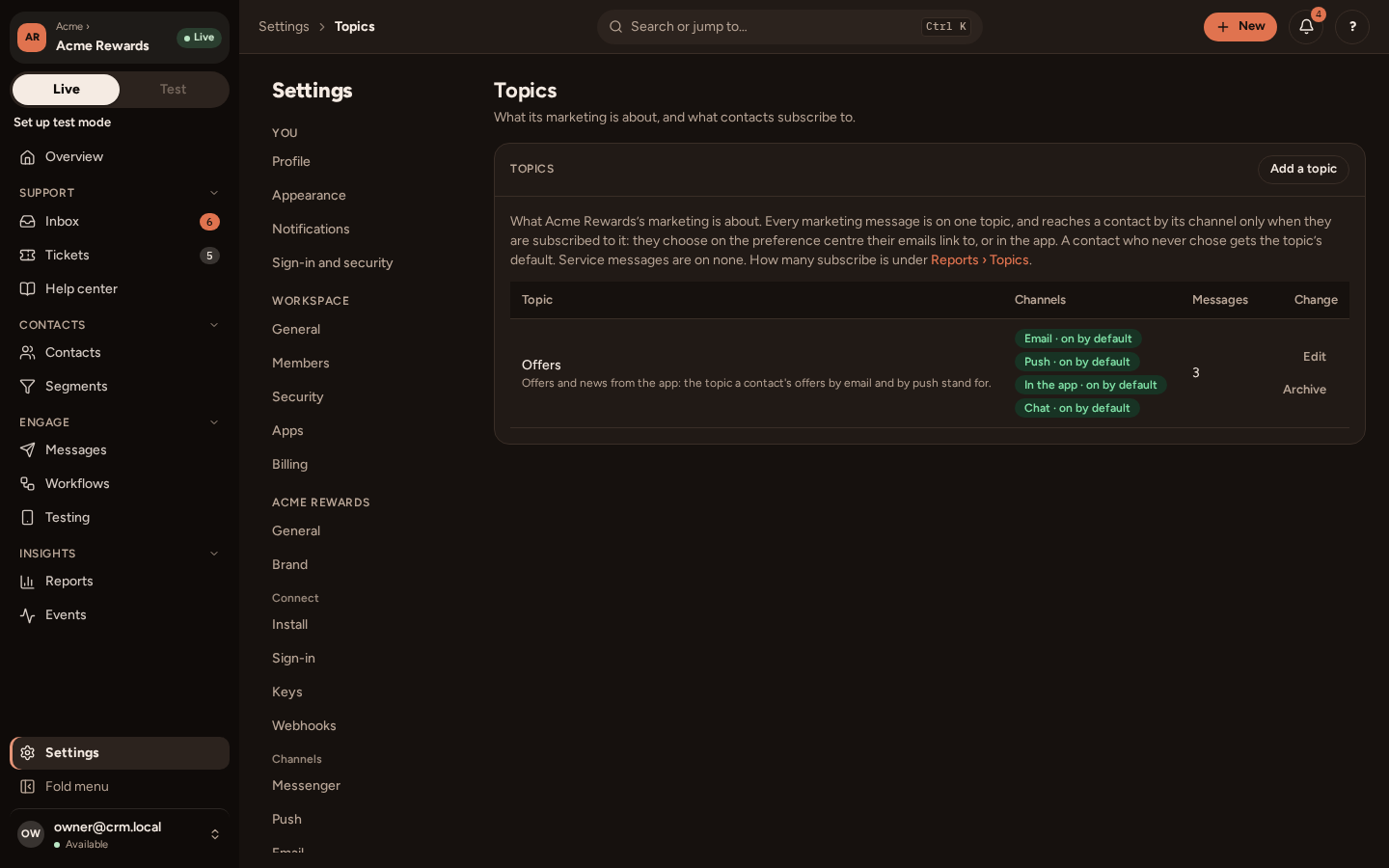
For each topic you choose:
- its name and description, which people see when they choose;
- the channels its messages may use: email, push, in the app and chat;
- for each channel, whether people who never chose are in by default.
Every app has an Offers topic from the start, which cannot be deleted (you can archive it).
The two layers
Section titled “The two layers”A person hears about a topic by a channel when both of these allow it:
- The channel’s own switch: “offers by email” and “offers by push”. Your backend can send these with Identify, and the person can turn them off.
- Their choice for the topic and channel, or the topic’s default when they never chose.
A bounce or a spam complaint stops all email to an address, whatever was chosen.
The contact record shows it as one grid: topics down the side, Email, Push, In-app and Chat across, with each channel’s switch at its head.
Where people choose
Section titled “Where people choose”- Every marketing email has an unsubscribe link and the one-click unsubscribe mail apps show. It takes the person off that email’s topic by email, then offers to unsubscribe from all marketing.
- The preference centre, a page linked from every email, lists the topics with a switch for each channel. It needs no sign-in.
- In your app, the SDK’s preferences screen does the same (Preferences).
- Your team can change them on the contact record.
Every change is kept with when, how and the wording the person agreed to, in the contact’s consent history.
Your backend’s copy
Section titled “Your backend’s copy”If your app keeps its own consent switch, send it with Identify, with the time the person changed it (consent.changed_at). PurrCRM takes the newer choice, so a stale “yes” from your backend never turns someone back on after they unsubscribed. See Connect your backend.
Frequency cap and holdout
Section titled “Frequency cap and holdout”Under Settings › Channels › Limits, you can cap how much marketing one person gets (for example at most 3 a week on every channel), keep a minimum gap between messages, and hold out a share of people from all marketing to measure what it adds. The Holdout and Topics tabs of Reports show the results.